Instagram Threads Growth Strategy for 2026
The best Instagram Threads growth strategy for 2026 is simple: reply more than you post. Threads is a conversation platform, and its algorithm rewards accounts that start discussions, answer comments, and show up in other people feeds. Post one to three short, opinionated takes a day, spend at least as much time replying as posting, and use topic tags and communities to reach people who do not follow you yet.
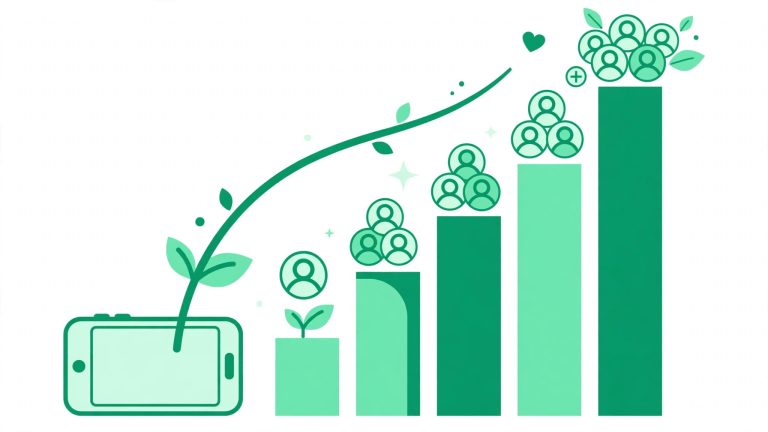
Threads has grown fast. Meta reported 500 million monthly active users in mid-2026, and in January 2026 Threads passed X in mobile daily active users. For creators, that means a still-open window: small accounts can reach thousands of people organically, without ads, if they understand how the feed works.
How the Threads Algorithm Works in 2026
Threads runs two feeds. The Following feed is chronological and shows posts from accounts you follow. The For You feed is algorithmic and is where almost all growth happens, because it shows recommended posts from accounts you do not follow. Meta transparency documents explain that the feed weighs replies heavily, counting replies a post collects in its first hour and its first six hours. Reposts are the strongest engagement signal, followed by replies, then likes.
The practical lesson is that Threads distributes conversation, not broadcasts. A clever post with zero replies sinks. A plain post that starts a useful argument travels. Since November 2024, Threads also favors accounts people already follow, so converting reach into followers matters more than ever: followers see your future posts, and the algorithm trusts accounts with an engaged following.
Set Up Your Threads Profile for Growth
Before you chase reach, make your profile ready for the visitors your replies will send you. A visitor who likes your reply will tap your profile, and you have about three seconds to convince them to follow.
- Connect your Instagram account: Threads is built on your Instagram identity. Keep the connection active so your Instagram audience can find you, and enable the Threads badge on your Instagram profile.
- Write a value-first bio: Say who you help and what you post about, not just your job title. A clear promise beats a clever line.
- Use your five bio links wisely: Threads allows up to five links in your bio. Put your main offer or your Instagram profile first, and tag links so your own analytics can count the visits.
- Pick one clear topic: A creator that posts about one topic is easier for the feed, and for people, to place. If you post about everything, nobody knows why to follow you.
The Daily Threads Growth Routine
Post 1 to 3 Short Takes a Day
One to three posts a day is plenty if you stay in the comments. Posts between 100 and 280 characters perform best, and conversational, authentic copy beats polished promotional text. Each post should be a flagship idea: a hot take, a question, a lesson, or a funny observation. If you need help writing punchy short copy, an Instagram caption generator can spark ideas you can adapt to the Threads voice.
Reply More Than You Post
This is the core of the whole strategy. Adam Mosseri, head of Instagram, has said it in one line: if you want to grow, reply much more than you post. Meta own data shows replies account for almost half of all views on Threads. Spend 15 to 20 minutes a day replying to larger accounts in your niche and answering comments on your own posts. A thoughtful reply on a popular post puts your name in front of that creator whole audience, for free.
Answer Every Comment on Your Posts
Analysis of more than 128,000 Threads posts found about 42 percent more engagement on posts where the author answered comments. Replies to replies count too, so keep the conversation going.
Topic Tags, Communities, and the For You Feed
Use One Topic Tag Per Post
Meta March 2025 analysis found that posts with a topic tag generally get more views than posts without one. You can tag one topic per post, up to 50 characters, with or without a hashtag symbol, and anyone tapping that topic sees related posts in real time. Pick the tag that matches your niche, not the trendiest one.
Join One or Two Communities
Communities became a main Threads feature in June 2026, with a Communities Hub in the menu and champion status for people who post regularly and keep conversations going. Join one or two communities that match your audience, contribute genuinely, and let the community put your profile in front of the right people. Threads shows your communities on your profile, which also signals what you are about.
Understand Dear Algo
In 2026 Threads launched Dear Algo, which lets users ask to see more or less of a topic for three days, and Your Algo, which lets them make the same request privately for one, three, or seven days. This rewards creators who stay on topic: if people keep asking for more of your subject, you win.
What Kind of Threads Posts Grow an Account
Meta creator insights point to a few formats that consistently perform: conversation starters, funny posts, and photos or videos with text outperform media without text. Short text posts with a clear opinion do especially well because they invite replies. Avoid link-heavy posts, which earn the lowest engagement of any format.
Turn Threads Reach Into Instagram Followers
Threads has no DM automation and no built-in monetization for most creators, so the smartest play is to use Threads for reach and Instagram for conversion. Since February 2026 you can share Threads posts directly to your Instagram Story with one tap, funneling your Threads audience back to Instagram.
The loop looks like this: a reply on Threads earns you a profile visit, the profile earns you a follow, the follow puts your next posts in their feed, and the cross-post to Instagram Stories turns a Threads follower into an Instagram follower. For a deeper playbook on the Instagram side of that loop, read our guide on how to get more followers on Instagram. And if you are building both platforms at once, the free Instagram growth tools on our homepage can help you plan bios, captions, and hashtags for both.
Frequently Asked Questions
How many times should I post on Threads per day?
One to three posts per day is the sweet spot for most creators, plus daily replies. Some growth guides suggest three to seven posts a day in the first 30 days, but volume without replies rarely works. Start with one strong post and a daily reply block, then add a second post only if you can keep the replies up.
Does Threads help grow Instagram?
Yes, when you connect the two deliberately. Threads gives you reach with new audiences, and the one-tap share to Instagram Stories plus the link in your bio moves that attention to Instagram, where you can convert it with Reels, DMs, and your profile.
Threads in 2026 still rewards the creators who treat it like a conversation, not a billboard. Post short, post honestly, reply more than you broadcast, and let the algorithm do what it is built to do: put good conversation in front of more people.