Instagram Profile Visit Tracker: What Works, What Is a Scam, and How to See Your Real Visits (2026)
An Instagram profile visit tracker can only show you one thing: how many times your profile was visited in total. It cannot show you who visited your profile, and no app, website, or paid service can either. Instagram simply does not share that data with anyone. Every third-party app that promises a list of your profile visitors is either showing you fake names or trying to steal your login details.
Instagram Insights, free on any Creator or Business account, shows your visit count for the last 7, 30, or 90 days, with the trend and a daily breakdown. This guide explains where to find it and how to use it.
Can You See Who Viewed Your Instagram Profile?
No. Instagram has never built a profile visitor feature, and Meta has said clearly for years that there is no legitimate way, official or third party, to see who viewed your profile. Profile viewing is private by design. Instagram tracks visits internally but never exposes the list. Stories are the only exception: swipe up within 24 hours of posting to see every account that watched.
What Instagram Actually Shows You: Profile Visits in Insights
Instagram calls the metric profile visits, not profile views. It counts how many times your profile page was visited in a chosen period, as a total number, with no names attached. To see it, you need a Professional account, either Creator or Business. Switching is free: go to Settings, then Account type and tools, then Switch to professional account.
Here is the exact path on the mobile app: open your profile, tap the three lines in the top right, tap Insights or Professional dashboard, then scroll to Accounts reached or further down to Profile activity, and tap Profile visits. You will see the total number, the percentage change against the previous equivalent period, and a breakdown by day. You can switch the range between the last 7, 30, and 90 days. On desktop, instagram.com shows the same profile visits card under Professional dashboard, then Insights. Very small accounts may see the metric greyed out until they pass a few hundred weekly interactions, which is a privacy threshold Instagram sets on tiny accounts.
Why Profile Visit Tracker Apps Are Scams
Dozens of apps with names like Profile Plus, Follower Analyzer, and SocialView promise to reveal who visited your Instagram profile. Every one of them is lying, and the reason is technical: Instagram’s API does not expose profile visitor information to any external developer, and it never has. There is no data for these apps to fetch, so they invent it.
Some show randomly generated fake names to keep you scrolling and tapping ads. Others ask you to log in with your real Instagram credentials, which hands your account to whoever built the app. Instagram explicitly prohibits unauthorised third-party apps, and using one can lead to account suspension or a permanent ban. If an app claims to show your profile visitors, assume it is harvesting your login or your card details, and delete it. Some apps do legitimately track follower growth over time, meaning who followed or unfollowed you. The line is simple: follower change tracking is possible, visitor identity tracking is not.
What Your Profile Visit Number Actually Means
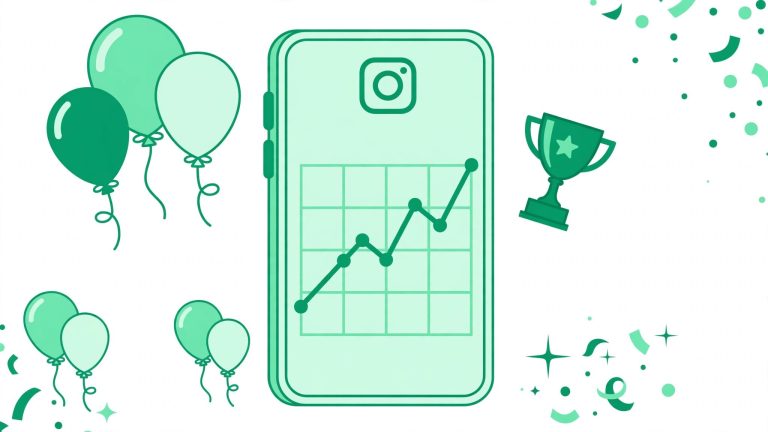
A profile visit means someone paused for a second and tapped through to look at your profile. It does not mean they read your bio, liked what they saw, or became a customer. Treating a spike in visits as a win on its own is how creators end up celebrating a number that changed nothing about their business.
The gap between visits and follows is the number that matters. A Reel might pull 40,000 plays and drive 6,200 profile visits in a week, yet add only 210 followers. That means more than 6,000 people were curious enough to look, and fewer than 4 percent decided to follow. The visit count measures curiosity. Follows, website taps, saves, and direct messages measure intent, because each of those actions requires a second decision, not just a passing glance. If you are building a business on Instagram, website taps, saves, and messages started from a post tell you far more than a visit count ever will.
How to Increase Your Profile Visits the Honest Way
Reels drive profile visits far harder than any other format, usually by a factor of three to five times compared with static posts or Stories. A well-made Reel with a clear hook in the first two seconds routinely pulls in more profile taps than ten regular feed posts combined. Carousels come second, because the swipe interaction keeps people on your content longer before they tap your name. Single static images with no caption hook generate the lowest visit rate of any format.
Visits only turn into follows when the profile itself is convincing. Your bio has about two seconds to answer why someone should follow you, so make it sharp and specific. Our Instagram bio generator helps you write a clear, professional bio that turns profile visitors into followers. Then grow the audience behind those visits with our guide on how to get more followers on Instagram. You can also explore the free Instagram growth tools on BigFollowers to support your overall growth.
A Simple Weekly Check That Actually Helps
Rather than checking daily and reading too much into normal noise, do this once a week. Open Insights, set the range to the last 7 days, and note profile visits, website taps, and follows side by side in a simple note or spreadsheet. Compare against the previous week, not against a random good week months ago. Look at which single post or Reel drove the biggest spike and note its format and hook. After eight or ten weeks of this routine you will have a genuine baseline for your account. That pattern is the real value of a profile visit tracker: not a list of names, but a repeatable picture of what makes people curious enough to tap through to you.
Frequently Asked Questions
Why do I not see a profile visits option in my Insights?
You are likely on a personal account rather than a Creator or Business account, or your account is too new or too small for Instagram to display the metric reliably yet. Switch account type in Settings under Account type and tools to enable it.
Are apps that claim to show Instagram profile viewers safe to use?
No. These apps cannot access real viewer data because Instagram’s API does not expose it, so they either show fabricated names to keep you engaged with ads or steal your login credentials when you sign in.
Is a high profile visit count a good sign for my business?
It is a sign people are curious, not a sign they are buying, following, or reading your bio. Watch website taps and follows alongside profile visits to see whether that curiosity is converting into anything useful.