How to Do Instagram Live to Gain Followers (2026 Guide)
Going live on Instagram can significantly help you gain followers — but it is not a magic button. Live videos get preferential treatment from the platform because they are considered highly engaging: when you go live, Instagram sends notifications to your followers and often surfaces your broadcast in the Explore tab, exposing you to people who do not follow you yet. The creators who turn Live into follower growth all follow the same playbook. Here it is.
Why Instagram Live works for follower growth
Three mechanics make Live uniquely powerful. First, notifications: followers who have subscribed to your content get an in-app alert the moment you go live, which pulls them in far more reliably than a feed post. Second, placement: live broadcasts appear prominently at the front of the Stories tray and can surface in Explore, reaching non-followers. Third, authenticity: unedited, real-time video builds trust faster than any polished post — viewers feel they are meeting the real you, and trust converts to follows.
Live sessions can run up to 4 hours, but you do not need marathons. What you need is a repeatable system: promote before, engage during, and repurpose after.
Before you go live: pre-promotion
Never surprise your audience with a live session. Promote it like an event:
- Announce at least 10 hours ahead — ideally a full day. Post the date and time, then do not change it. Showing up punctually builds credibility; delays train people not to bother next time.
- Use Stories countdown stickers. They build anticipation and let followers opt into a reminder. Talk about the live in Stories during the 24 hours before.
- Announce across platforms. If you are on other social apps, post there too. Right before going live, send a final update everywhere: “going live on Instagram in 10 minutes.”
- Ask what they want. A few days before, use the Story question sticker to collect topics or questions. This makes viewers feel invested and guarantees you cover what they actually care about.
- Pick a clear topic. Going live without a topic is the fastest way to lose viewers. Q and A sessions, tutorials, behind-the-scenes, product launches, interviews — pick one and name it in your promotion.
When to go live: timing matters
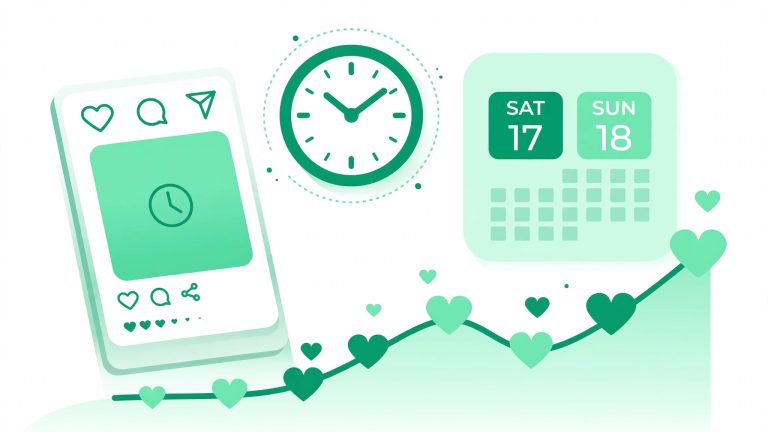
Check Instagram Insights for when your followers are most active, by day and hour, and schedule your live inside those windows. A live at 3 AM reaches nobody no matter how good it is. If you go live at a consistent time — say every Thursday at 7 PM — followers learn the rhythm and start showing up habitually. Start with once a week or bi-weekly; consistency beats frequency.
Aim for at least 15 to 20 minutes per session. Shorter than that and latecomers never find you; the audience needs time to discover the broadcast and settle in.
During the live: engagement tactics that convert viewers
Interaction is the lifeblood of Instagram Live. The algorithm watches it, and viewers reward it with follows. Run your session like this:
- Greet people by name as they join. “Hey Sara, welcome in!” costs nothing and turns a passive viewer into someone who feels seen — seen people follow.
- Answer questions live. Tell the audience you will take questions in the last 10 minutes, then actually do it. Q and A is the highest-converting live format because it is pure value delivery.
- Run polls and quizzes. Instagram’s live features let you engage directly — use them to keep energy up during slower stretches.
- Bring a guest. Instagram Live Rooms lets you co-host with up to three other creators. When you invite someone, their followers can discover you too — it is the fastest audience-sharing mechanic on the platform. Choose guests with overlapping niches and real engagement.
- Ask for the follow — directly. Do not be shy. Mid-stream, say: “If you are new here, hit follow so you do not miss next week’s session.” Creators who ask convert significantly more than those who hope.
Technical basics: good lighting matters more than a good camera — a simple ring light transforms a phone stream. And try Practice Mode first (in the Audience settings before going live) to rehearse without an audience watching you fumble.
After the live: repurpose everything
The live ends; the content should not. This is where most creators leave growth on the table:
- Save and share the replay. Share the live to your Story for 24 hours so people who missed it can watch. Save it to IGTV or as a video post for permanent discovery.
- Cut highlights into Reels. The best 30 seconds of your live — a sharp answer, a funny moment, a key insight — make excellent Reels. One live can birth five Reels.
- Create a Highlights album. Save live replays to a “Lives” highlight so new profile visitors can binge them — it is social proof that you show up.
- Follow up with new followers. The 48 hours after a live are prime time: new followers are warm. Post a strong piece of content so they immediately see value in following.
Live ideas that gain followers
Rotate through these formats so your lives stay fresh: live Q and A (ask-me-anything or topical), behind-the-scenes tours, product or project launches, interviews with niche guests, live tutorials or workshops, challenges with audience participation, and “day in the life” casual hangs. The common thread: every format should give a stranger a reason to follow within the first five minutes of watching.
Turn live viewers into long-term followers
Live is a top-of-funnel machine — but the funnel needs a bottom. Make sure your profile converts the curious: a clear bio, a consistent grid, pinned best posts. Our guide on how to get more followers on Instagram covers that foundation, and the right hashtags on your repurposed clips help too — try our Instagram hashtag generator for niche-targeted tags. If you are building the audience base that makes live sessions feel alive from minute one, the free Instagram followers trial can seed it.
Start this week: pick one topic, promote it for 24 hours, go live for 20 minutes, and repurpose the best moments into three Reels. Then do it again next week. Live compounds — the creators who show up consistently are the ones whose audiences compound with them.