Instagram Live Shopping: Complete Guide (2026)
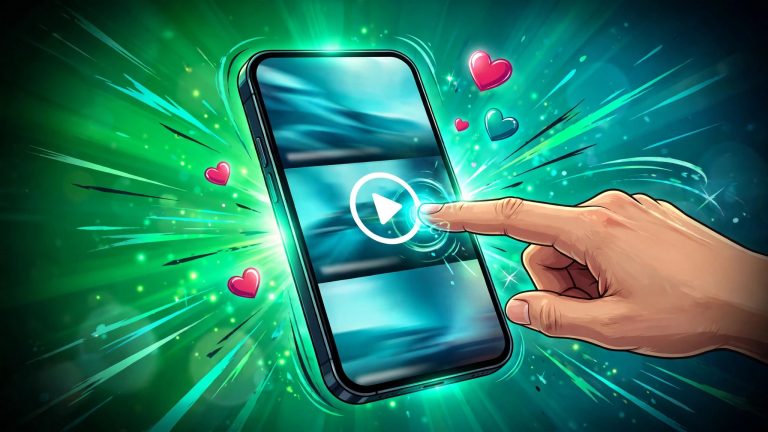
Instagram Live Shopping in 2026 means selling products during a live Instagram broadcast using a comment-to-DM workflow: you demonstrate products on camera, viewers comment a keyword, and an automation tool sends each commenter the product link by direct message so they can complete the purchase on your website. The old native feature that let sellers tag products with in-app checkout during a Live was removed by Meta in March 2023, so there is no in-stream checkout anymore. Selling during Lives still works, and for many brands it works better than the old version, because the comment-to-DM flow captures buying intent while viewers are still watching.
What Changed With Instagram Live Shopping?
Meta removed product tagging from Instagram Live broadcasts in March 2023. By 2025, native in-app checkout across Instagram Shops had also been wound down in most markets, so purchases from Instagram now complete on the seller’s own website. Instagram Shop itself still exists: product catalogs, shoppable posts, product tags in feed posts and Stories, and shop storefronts on profiles all still work in 2026. What is gone is the ability to complete a purchase without leaving the app.
How to Sell During an Instagram Live in 2026
The comment-to-DM method is now the standard playbook. Here is how it works.
Step 1: Set Up Keyword Triggers Before You Go Live
Choose a short keyword for each product or offer, such as LINK, SHOP, or the product name. Set up an automation rule so that when a viewer comments that keyword during your broadcast, they receive an instant direct message with the purchase link. Do this before you go live. You cannot type direct messages by hand while holding a product up to the camera, and by the time a 40-minute stream ends, much of the buying intent has cooled.
Step 2: Go Live and Direct Viewers to Comment
Open the stream by saying exactly what viewers should do: comment the keyword to get the product link sent to their messages. Repeat that call to action every three to five minutes, because new viewers join throughout the broadcast and need to hear it. Pin a comment with the keyword and the offer so it stays visible at the top of the chat. Demonstrate the product in use rather than just holding it up.
Step 3: Let Automation Handle the Volume
While you stay on camera, the automation tool sends direct messages in real time to everyone who comments. That is the whole point of the setup: one person cannot manually message two hundred commenters during a live broadcast. Keep the message short, with the product name, the price, and one link. The viewer already saw the demo. They need the link.
Step 4: Follow Up After the Stream
Most buying intent from a Live fades within minutes of it ending. The people who commented but did not buy are a warm list. Send them the replay link, a reminder of the offer, or a time-limited discount within 24 hours of their reply. Share the replay as a post or Reel so people who missed the Live can still watch the demo and comment for the link.
5 Instagram Live Shopping Formats That Work
- Product drop: Showcase a new product, answer questions live, and use a keyword for the purchase link.
- Limited-time bundle: Reveal an offer that exists only during the broadcast and use a keyword to unlock it.
- Creator co-host: Go live with a creator, demo the product together, and route interested viewers into direct messages.
- Educational session with a soft sell: Run a tutorial or routine, then offer a product guide by keyword at the end.
- Restock or waitlist: Go live before a restock to build demand, use a keyword to join the waitlist, then message that list when stock arrives.
Instagram Live Shopping Setup Checklist
- Before: set the keyword trigger and test it from a second account, promote the session in Stories and feed posts at least a day ahead, write a run of show with the order of products and talking points, and check lighting, sound, and a stable connection.
- During: open with energy and a clear promise, repeat the keyword call to action at least three times, answer questions by name, and handle objections live.
- After: review who engaged and who commented without buying, share the replay, and follow up with interested viewers within a day.
Is Live Shopping Worth It?
Live commerce converts far above standard ecommerce in published industry research. McKinsey has put live-commerce conversion rates near 30 percent, against the 2 to 3 percent typical of regular online shopping, because a Live compresses discovery, demonstration, questions, and purchase into one moment while urgency is still present. eMarketer reported United States livestream ecommerce sales of about 14.64 billion dollars in 2025, up nearly 50 percent year over year. Those are industry estimates, not promises. Your results depend on your audience size, product price, and how well you run the format.
Compare it with TikTok Live: TikTok wins on checkout and discovery, with in-feed checkout and an algorithm that reaches people who do not follow you. Instagram wins on trust, because a Live mostly reaches people who already follow you, and its audience skews older and higher-income, which suits higher-ticket purchases.
Growing the audience that shows up to your Lives matters as much as the selling mechanics. Our guide on how to get more followers on Instagram covers the fundamentals, and you can find more Instagram growth tips on the homepage. More live viewers also means more free Instagram views on your replays when you share them as Reels after the broadcast.
Common Instagram Live Shopping Mistakes to Avoid
- Expecting product tags to work: Native Live product tagging was removed in 2023. Build your plan around comment-to-DM instead.
- No clear call to action: If viewers do not know the keyword, they cannot buy. Say it early and repeat it.
- Skipping the test: An untested keyword trigger that fails during a Live wastes your best traffic.
- Selling without demonstrating: A Live is visual. Buyers want to see the product in action, not hear a description.
- No follow-up: Most sales from a Live happen after the stream, in the follow-up messages.
- Going live without promotion: A Live with no audience is a rehearsal. Promote at least a day ahead.
Instagram Live Shopping FAQs
Does Instagram Live Shopping still exist?
The native version, product tagging with in-app checkout during a Live, was removed in March 2023 and is gone. You can still sell during Instagram Lives by asking viewers to comment a keyword, sending each one the product link by direct message, and completing the purchase on your website.
Can viewers buy without leaving Instagram?
Not anymore in most markets. Native in-app checkout was wound down through 2025, so purchases from Instagram now complete on the seller’s website. The direct message carries the buyer straight to the product page while they are still warm from the demo.