Best Instagram Follower Track Apps (2026): What Actually Works
The best Instagram follower track app depends on which of two jobs you actually need: tracking your own follower trends, or seeing who someone else follows. For your own account, Instagram Insights plus a comparison of two official data exports is the safest and most accurate free route. For tracking someone else’s public follows, reputable lookup tools can show you public-data changes over time. Most third-party “who unfollowed me” apps are either inaccurate or risky, and no legitimate app can see activity from private accounts you do not follow.
Why Instagram Does Not Show You This Natively
Instagram removed its “Following” activity tab back in 2019, and it has never brought it back. Since then, the app shows you almost nothing about follower history: your following list is not chronological, there is no feed of new follows, and there is no built-in “who unfollowed me” view. That gap is exactly why the follower-tracker category exploded.
The second problem is access. Instagram’s official API is deliberately restrictive about follower data, especially for other people’s accounts. That means every third-party tracker is working with limited information, and honest tools are upfront about that. Dishonest ones are not, which is why picking the right app matters more than picking the most downloaded one.
Start With the Free Native Route: Instagram Insights
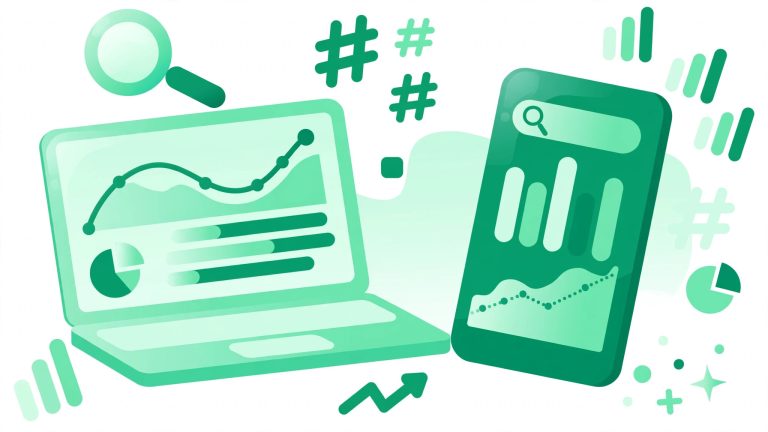
If your goal is understanding your own follower growth, start where the data is cleanest: Instagram Insights. Switch to a business or creator account (it is free and takes a minute) and you get native growth charts, follower demographics, active hours, and per-post reach. It will not name your unfollowers, but it is the only source that is 100 percent accurate because it comes from Instagram itself.
Pair Insights with a growth habit: post consistently, watch what the data tells you, and stop guessing. The free Instagram growth guides on BigFollowers walk through beginner-friendly strategies that actually move the needle, and our guide on how to get more followers on Instagram pairs well with the data Insights gives you.
The Safe Way to Find Your Unfollowers: Official Data Exports
Here is the method most people have never heard of, and it is the one I recommend first. Instagram lets you download a copy of your own data, including your follower and following lists, right from the app or web settings. Download one export today and another one a few weeks later, then compare the two lists. Anyone present in the first but missing from the second unfollowed you.
This approach has real advantages: it uses official data, it requires no third-party login, and nothing is uploaded anywhere if you do the comparison in your own browser. The limitation is time. You need two exports taken at different dates, so the first run can only tell you who is not following you back, not who unfollowed you recently. Still, for a free answer with zero risk, nothing beats it.
Third-Party Follower Track Apps, Honestly Reviewed
Now the app stores. Here is what each category of tracker really offers.
Login-based unfollower apps (FollowMeter-style)
These apps ask you to connect your Instagram account, then show unfollowers, ghost followers, and growth curves on demand. The convenience is real: you get an answer today instead of weeks from now. The accuracy is mixed. Instagram’s limits mean these apps often miss follow-backs, count renamed accounts wrong, and can flag accounts that never actually unfollowed you. And the structural risk is serious: you are handing login access to a third party, which is exactly what Instagram itself warns against. If one of these apps ever behaves badly, it is acting as you.
Brand analytics platforms (Iconosquare, Hootsuite, Sprout Social)
These are the professional tier: Instagram-approved tools that authenticate through the official API rather than your password. They track growth history, engagement, and audience demographics beautifully for your own accounts, and some offer free tiers or trials. They will not tell you who unfollowed you personally, and they will not show you someone else’s private activity, but for legitimate business analytics they are the safest option in the category.
Public-account lookup tools (Snoopreport-style)
A newer category tracks other people’s public activity by reading public following lists over time and reconstructing what changed. Reputable ones only touch public accounts, never ask for your password, and are clear that history only accumulates forward from when monitoring starts. They are paid, because ongoing monitoring costs money to run, but they are the most honest answer to “who did they recently follow?”
Chrome extension trackers
Treat this category with real caution. An extension runs inside your logged-in browser session, which means a badly behaved one can read your session cookie and act as your account. Prefer tools that never sit inside your logged-in session at all. If a tracker does not need your credentials to do its job, it has far less that can go wrong.
Red Flags: When to Close the Tab
- It asks for your Instagram password directly instead of routing you through Instagram’s own login. Legitimate tools authenticate through the official API.
- It claims to track private accounts you do not follow. A private account’s follower lists are visible only to approved followers, enforced by Instagram’s servers. Any tool promising otherwise is harvesting your money, your data, or both.
- It promises to grow your follower count. Trackers observe; they do not create growth. Pair honest measurement with real strategy instead of shortcuts that violate Instagram’s terms.
Frequently Asked Questions
Can a follower tracker see private accounts?
No. This is the red flag of the whole category. Trackers read public following lists; a private account’s lists are visible only to approved followers, and no legitimate app can bypass that.
Will Instagram ban me for using a tracker app?
Login-based apps that automate actions or poll aggressively can trigger rate limits or warnings on your account. Tools that only read public data without touching your session carry essentially no risk to your account, which is another reason to prefer them.
Are free follower tracker apps accurate?
Usually not, and many monetize you some other way: ads, data collection, or upsells. If an app offers free, unlimited, real-time tracking of everything, ask what it is getting from you in return.
Why am I losing followers in the first place?
Before tracking unfollowers, it helps to understand the causes. Our breakdown of why you might be losing followers covers inactive-follower purges, content shifts, and shadowban myths so you fix the problem instead of just measuring it.